
- Agents and teams
- Task board
- Plan approval
- Share with colleagues
- Chat with any model
- Explore
- Desktop app
The platform One app for your agents,
One app for your agents,
and the tools they work with.
Crewdle is where your agents work and where you talk to them: add agents and teams, track every task, and chat with any frontier model, on the web or the desktop app. When a job needs a website, visuals, an automation, a 3D model or a Roblox game, your agents pick up the right tool. Admin governs the whole business. One account, one bill.
Add an agent 78 roles across every business function. Each one a teammate that remembers. Browse Add a team 26 pre-made teams. A manager plans the work and briefs its specialists. Browse
What your agents use
You never open these yourself. Agents reach for them on their own when a job needs software, visuals, a repeatable workflow, a 3D model or a game, and you review and approve the result. Same account, same bill.
Governance
One console for the person who runs the business: who can use which tools and models, every agent’s budget and spend, and one bill.
One agent, three tools
One agent sets up
a business online.
Add a single agent for a neighborhood coffee shop. It reaches for three of its tools on its own, and comes back with a real website, not a to-do list.
-

Design the hero
From one line, a cozy coffee shop at golden hour, the agent generates a storefront banner.
-
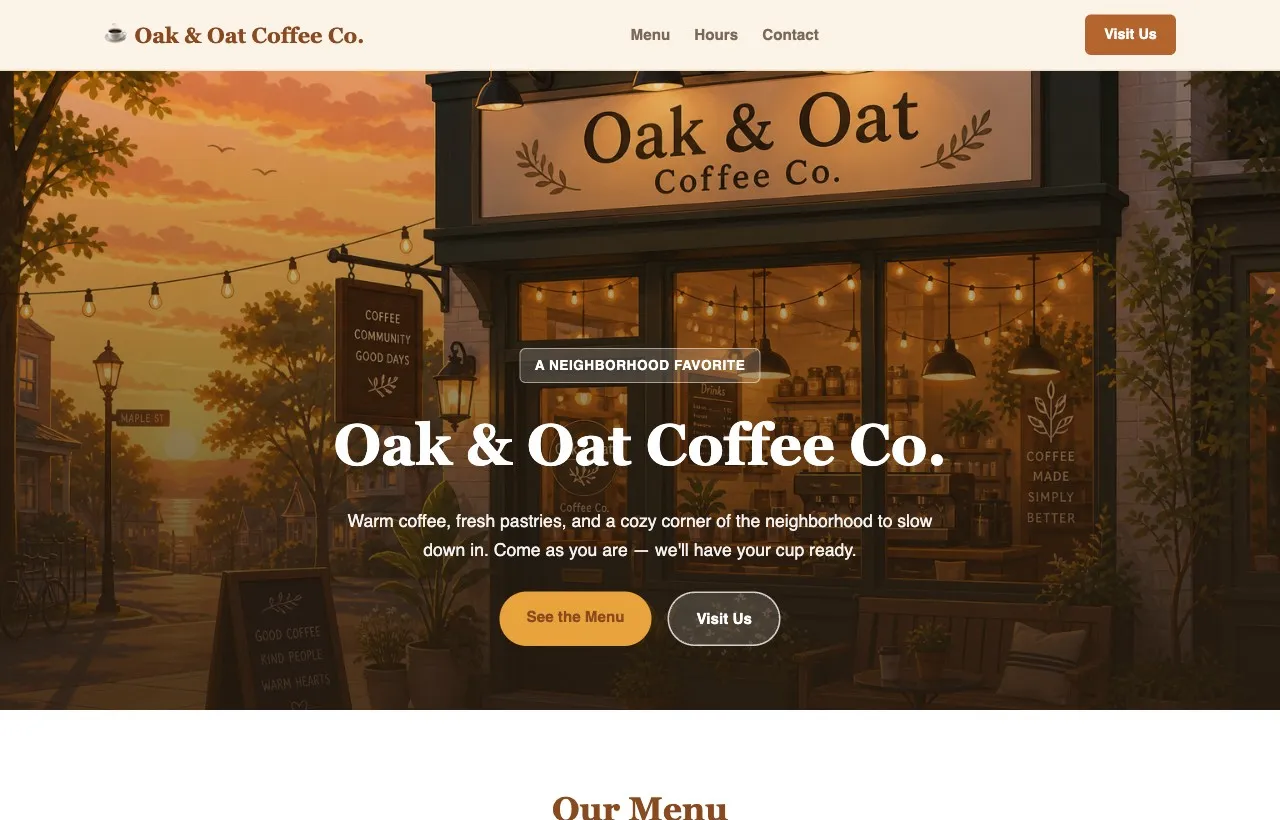
Ship the website
It builds and publishes a real one-page site, menu, hours and contact, with that banner as the hero, once you approve.
-
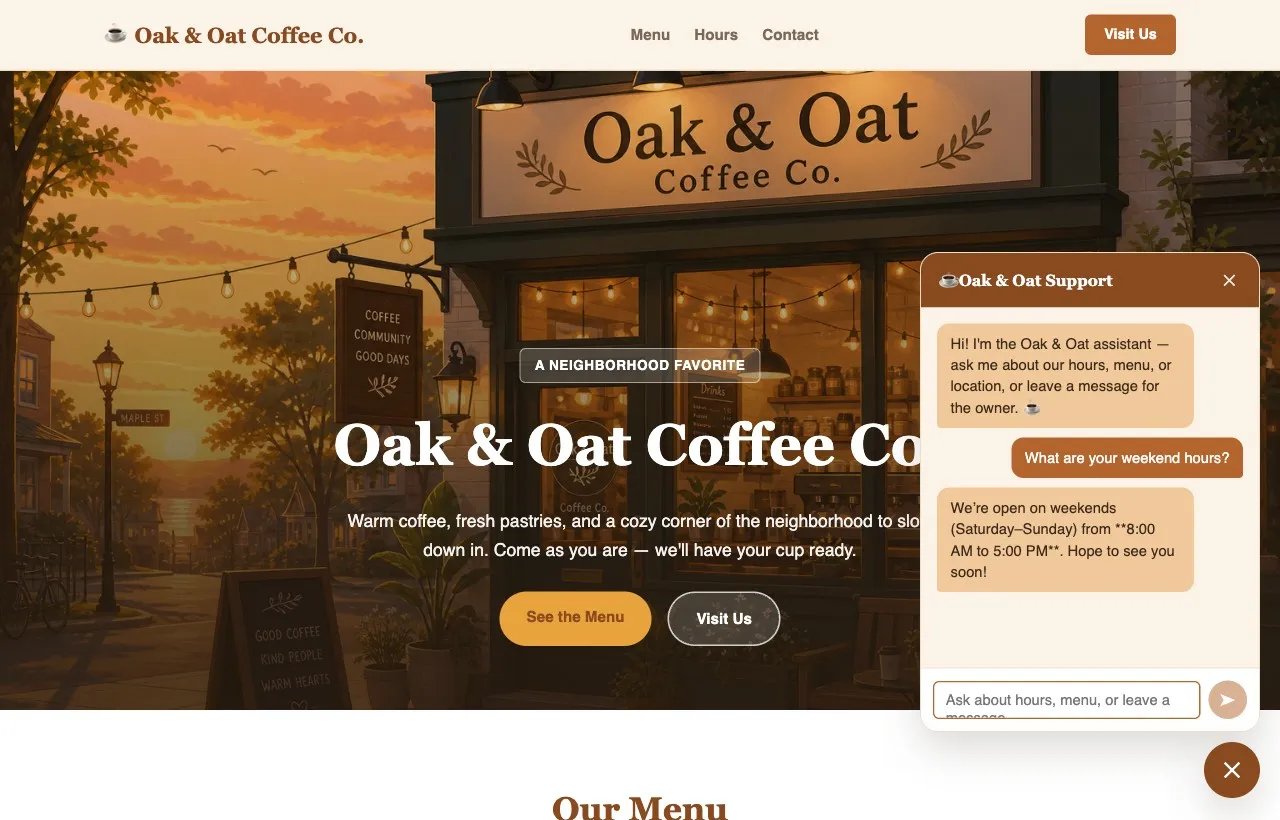
Add a chatbot
It sets up an automation and wires in a support chatbot that answers hours, menu and location, and takes a message for the owner.
FAQ
Questions, answered.
What is the Crewdle platform, in plain words?
It is one app where your agents work and where you talk to them. You add agents and teams, give them work in plain language, track every task, and chat with models like GPT, Claude, Gemini or Grok. Admin governs the whole business, with one account and one bill.
What is the difference between the app and the tools my agents use?
The app is where you add agents, follow tasks and chat. The tools are what agents pick up on their own when a job needs them: websites and apps, images, videos and audio, AI automations, 3D models and Roblox games. You never open the tools yourself, you review and approve the result.
How many roles and pre-made teams can I add?
Explore lists 78 roles across every business function, and 26 pre-made teams. Each role is a teammate that remembers, and each team has a manager that plans the work and briefs its specialists. Browse roles one by one or start from a team that fits your kind of business.
What does one agent do with three tools on a real job?
In the example on this page, one agent sets up a coffee shop online. It generates a banner with the images tool, builds and publishes a one-page site once you approve, then wires in a chatbot that answers hours, menu and location and takes a message for the owner.
Start for free.
Today.
No subscription. No credit card. Pay only when the AI works. If you're a real business, we'll throw in a 30-minute demo with a human.
Start for free Book a demo
No subscription · Pay as you use
$10 in your balance to start. No card needed.
