
Explore: templates, teams and rentals
Last updated:
Add from 78 agent templates and 26 pre-made teams in Explore, pick each agent’s model, and rent agents and teams from the community.
Explore in Crewdle is where you add agents. It lists 78 agent templates and 26 pre-made teams, grouped by department, plus agents and teams shared by the community for rent. You can browse the same catalogue on this site: agents and teams.
Agent templates
Each template is a role with its instructions already written. Its card shows:
- what the agent does,
- Connect: the tools it suggests connecting (for example Gmail, QuickBooks or Roblox games),
- Skills: the skills it comes with.
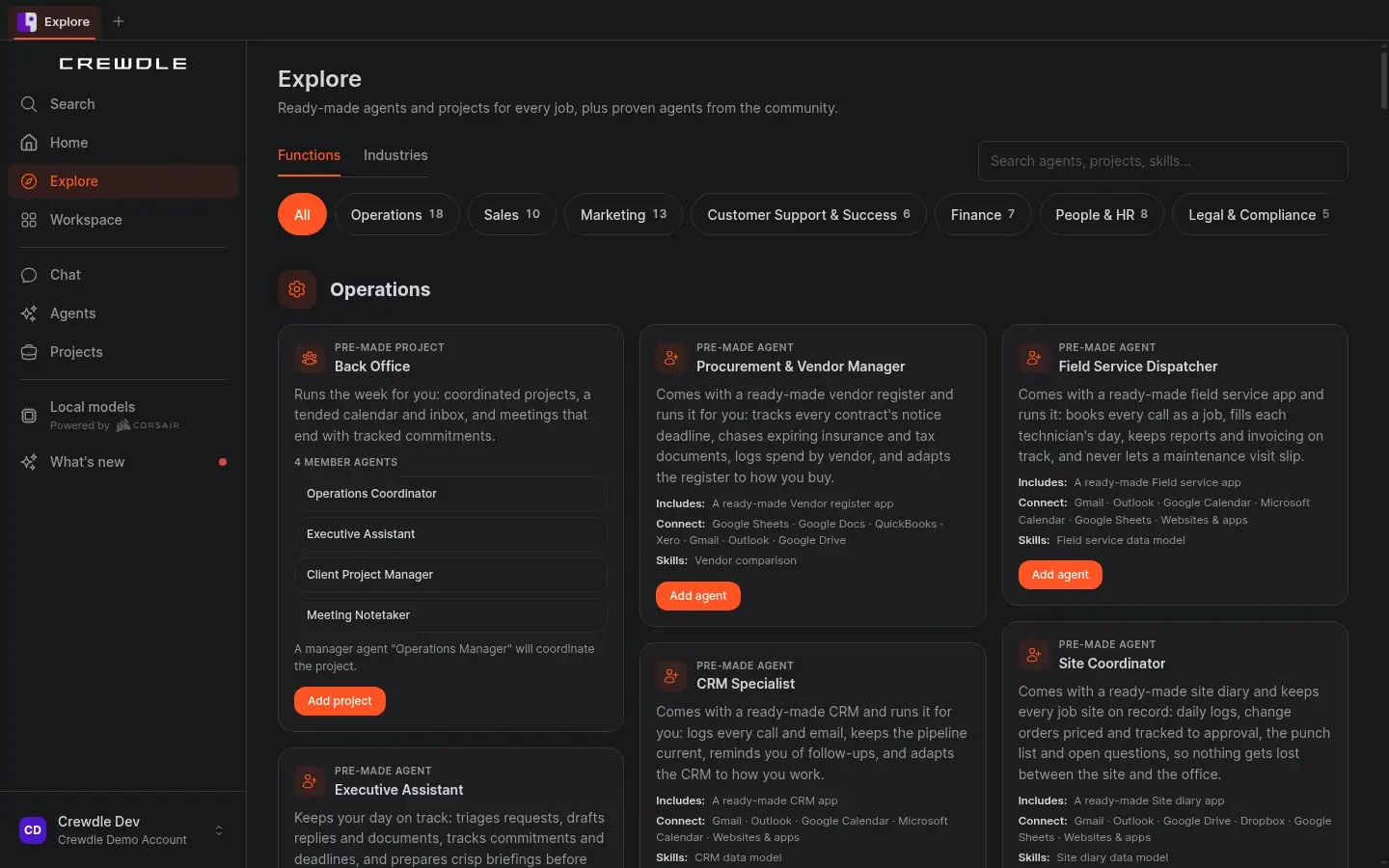
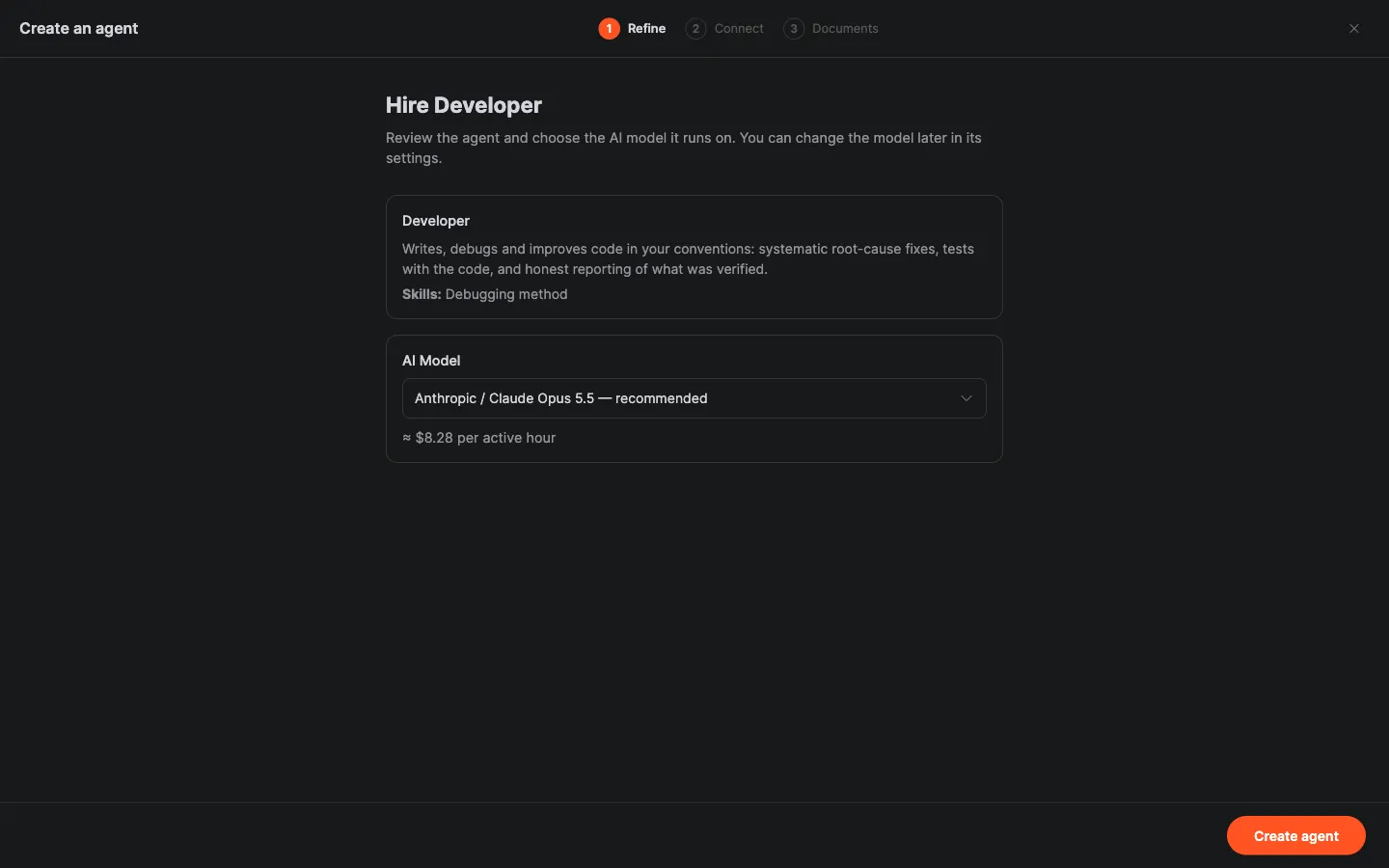
Press Add agent. The setup wizard lets you refine the agent and connect its tools now or later.
Pre-made teams
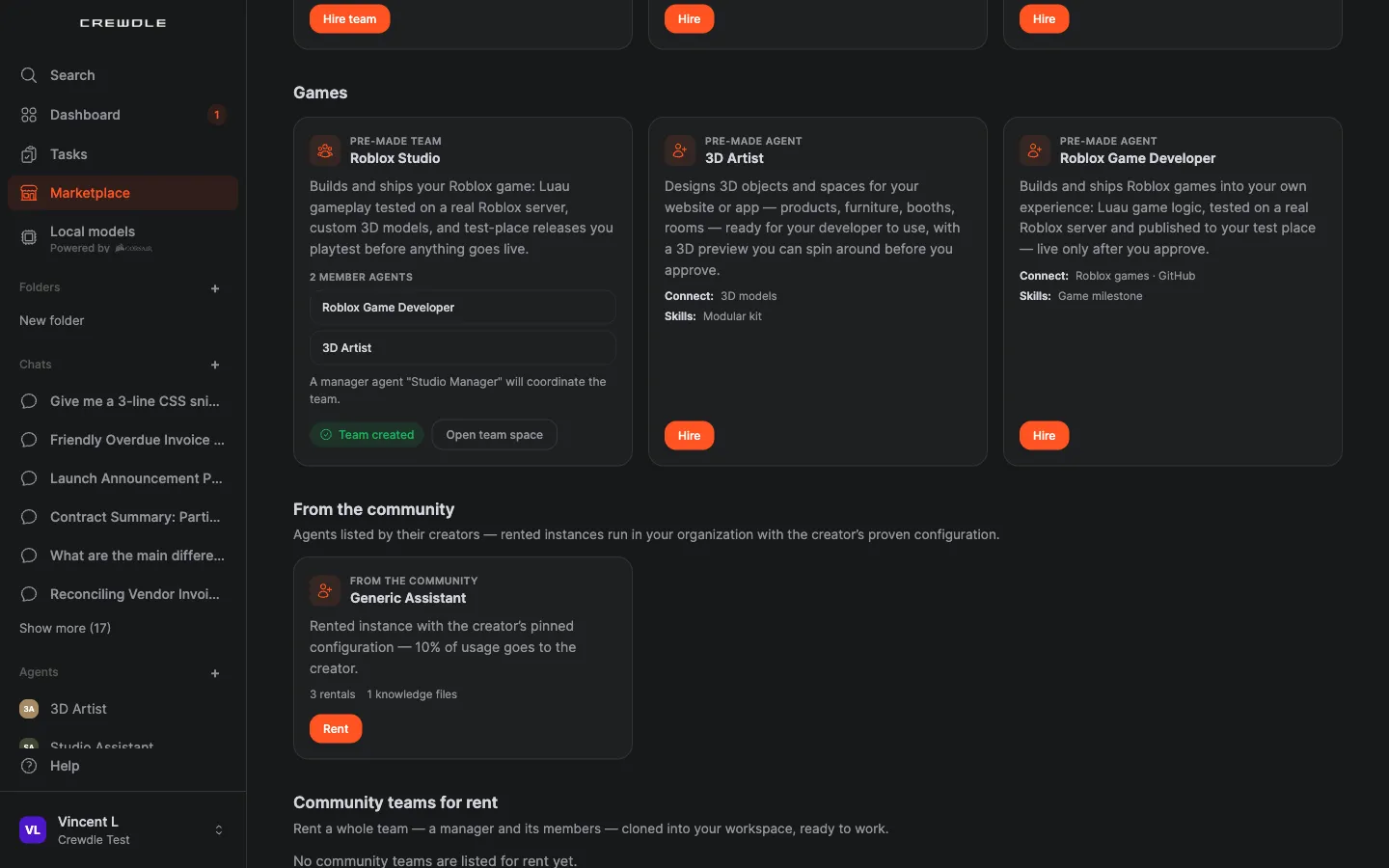
A pre-made team is a manager plus its specialists, added in one step. The card lists the member agents and the manager that coordinates them. Press Add project. See Teams for how a team plans and works.
Choose each agent's model
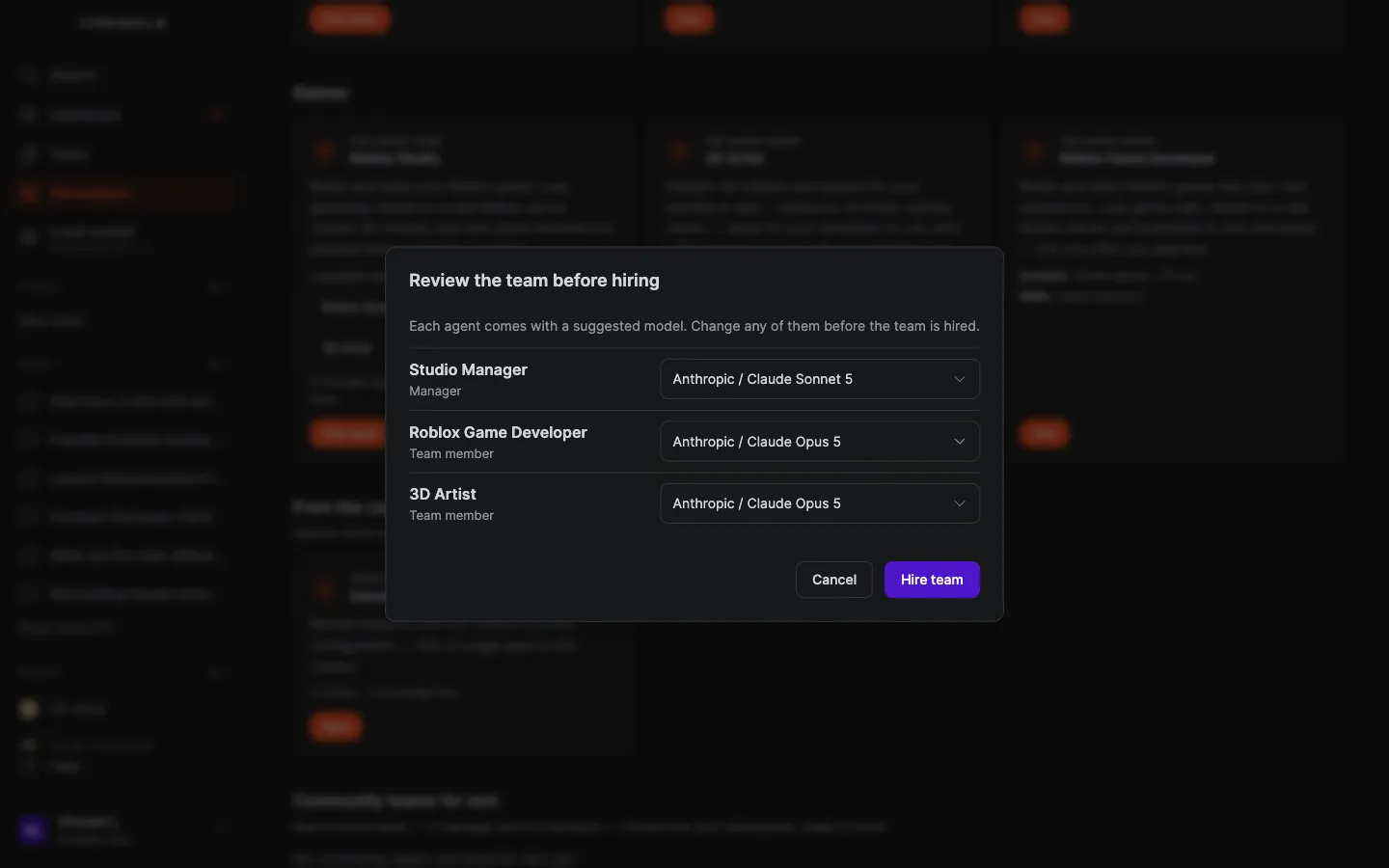
Agents from Explore come with a suggested model (a current Claude Opus or Sonnet model). Before adding, a review step lists every agent so you can change any of them.
Rent from the community
Under From the community, creators list agents and teams they've configured. Renting one runs a copy in your organization with the creator's proven configuration, and the creator receives the royalty they set, a share of its usage. You can rent out your own agents and teams too: see Sharing and collaboration.
Ask Chat to find the right agent
Describe the help you need in Chat (“I need help answering customer emails after hours”). Chat suggests the best agent or team from Explore, tells you what it will need (an inbox, rules) and helps you add it.
What it costs
Adding an agent is free. An added agent’s work is billed per task at 1.5× the model’s list price, or 2.0× if you add it in private AI mode (agent memory embeddings stay at the standard price), and each agent has a monthly budget you set. See Private AI mode and Balance and billing.
Ready-made apps
Some roles come with a ready-made app. Their cards on the agents page show “Includes a ready-made app”. You and your colleagues sign in to the app with your email.
Frequently asked questions
When do I choose an agent’s model?
You pick each agent’s model in the review step before adding. Agents from Explore default to a current Claude Opus or Sonnet model.
How does renting a community agent work?
A rented agent or project runs in your organization with the creator’s configuration. You pay for its usage as usual, and the creator receives the royalty shown on the listing, a share of that usage.
Does adding an agent cost anything?
No. You pay only for the work, per task, and nothing while an agent is idle.
